PoolLogic
Spa heating · 98° → 102°
~4 min
PoolLogic for iPhone and iPad. Native iOS control for Pentair EasyTouch, IntelliTouch, and SunTouch systems.

Free · iOS 18+ · No subscription
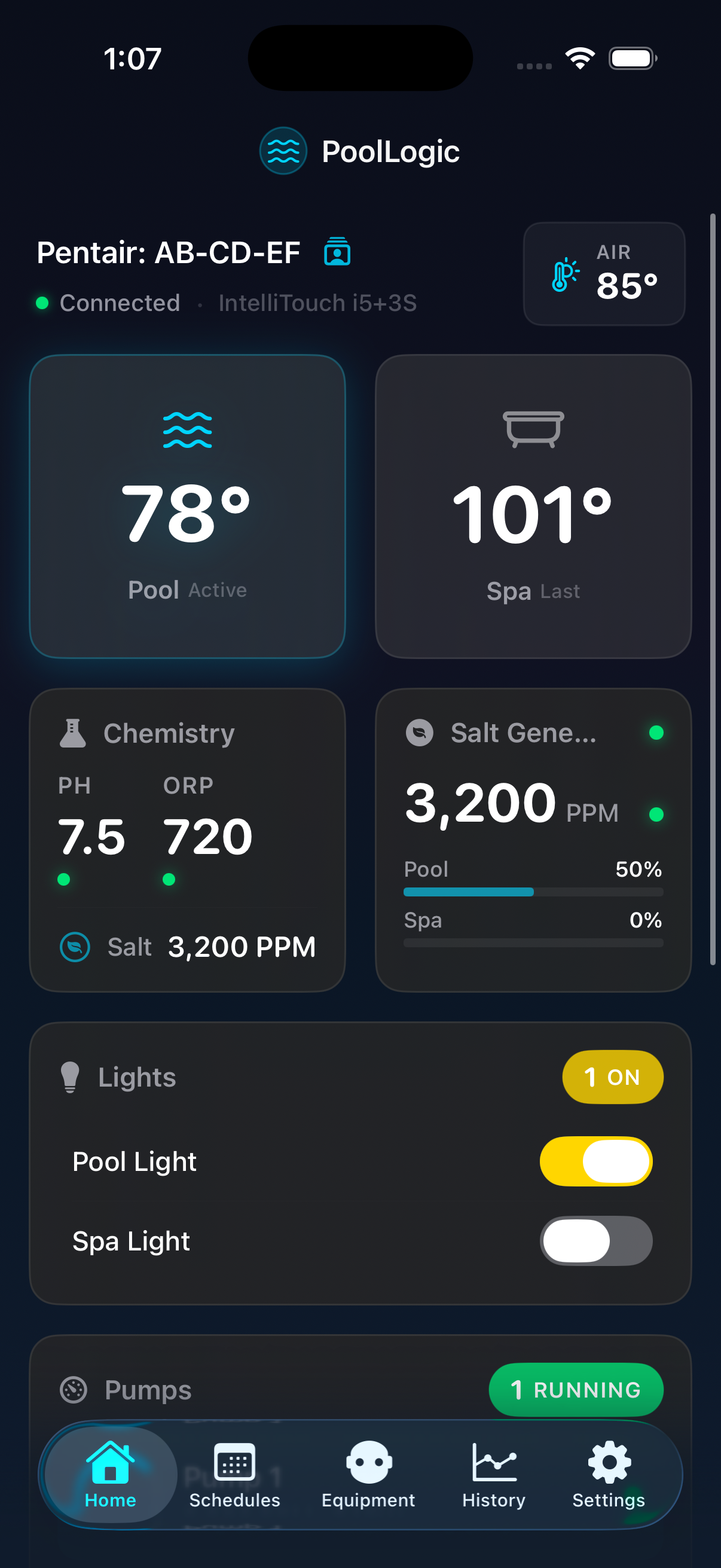
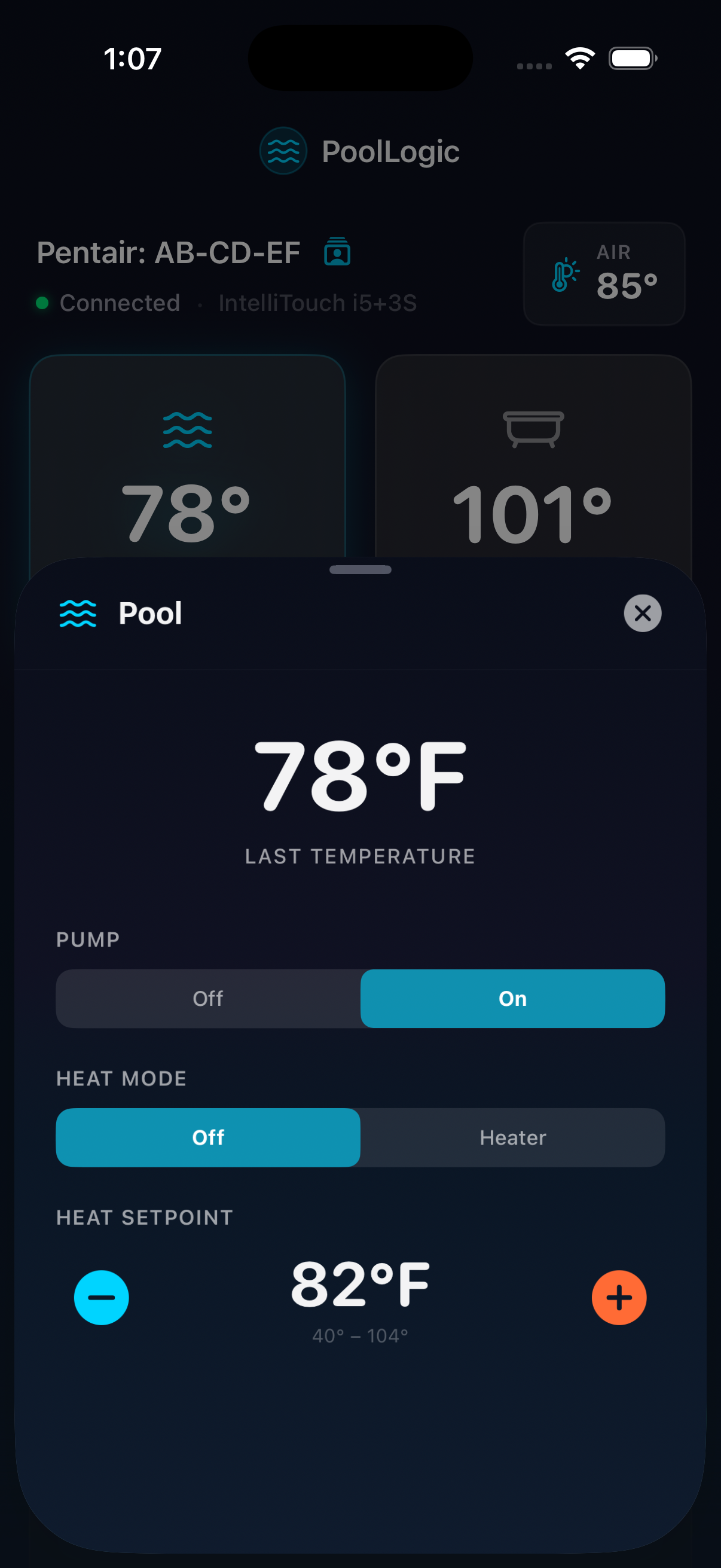
A native iOS app built from the ground up for the iPhone and iPad — with the iOS-first features you'd expect.
Customizable widget grid with live water temps, heating status, pump performance, chemistry, and salt levels. Drag-and-drop to fit your setup.
Lock Screen and Dynamic Island show heating progress as it happens. Current vs target temp, live progress bar, auto-dismisses at setpoint.
Tap circuits to toggle. IntelliBrite and MagicStream get dedicated color pickers. IntelliFlo pumps show real-time RPM and wattage.
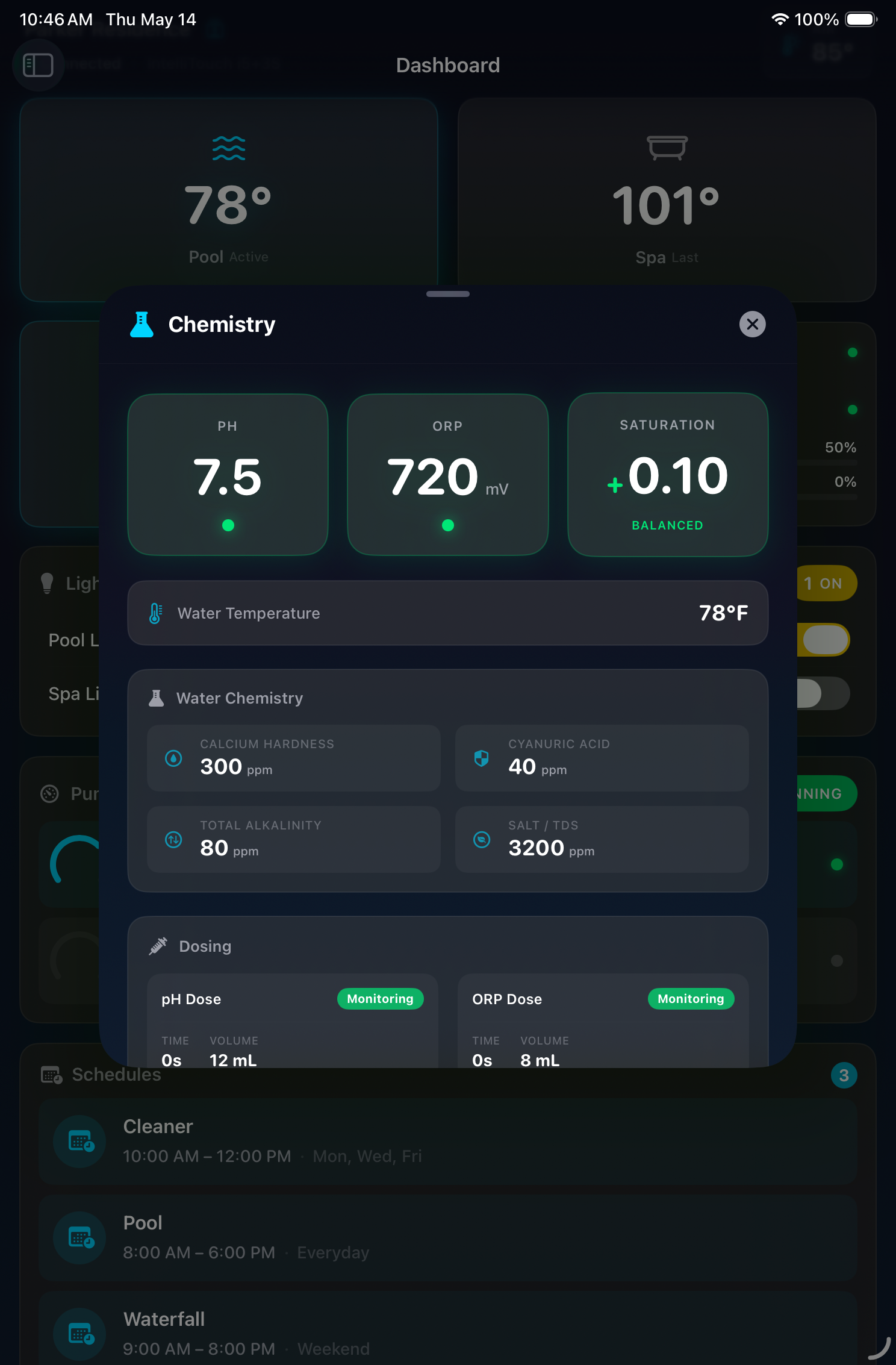
IntelliChem pH, ORP, saturation index, and dosing status in one view. Color-coded alerts flag issues before they become problems.
IntelliChlor salt PPM, active/idle status, and pool and spa output percentages. Color-coded readings flag out-of-range levels.
Create, edit, and manage recurring schedules and egg timers. Assign circuits, pick days, set times.
When the heater engages, PoolLogic puts a live progress indicator on your Lock Screen and in the Dynamic Island. See how close the spa is to ready without unlocking your iPhone.
Heating status appears on your Lock Screen the moment the heater engages. No app open, no notification cleanup.
Current vs target temperature updates in real time. You know exactly when the water will be ready.
The Activity ends the moment the setpoint is reached or the heater stops. Nothing to clear manually.
“Hey Siri, pool status.”
PoolLogic ships with six App Intents. Build a shortcut, name it, and trigger it with Siri from your iPhone, iPad, HomePod, or Apple Watch. No scripting required.
Toggle circuits, set heat mode and temperature, change light colors, check pool status, and read chemistry levels.
Chain PoolLogic actions with other apps in Shortcuts. Turn on the pool when you get home, send a summary every morning, or trigger scenes with one tap.
Connect to your gateway once and PoolLogic registers automatically with Siri and Shortcuts. Credentials stay in the iOS Keychain.
Stay aware of equipment changes, heating progress, and chemistry alarms — generated locally on your iPhone, no cloud round-trip.
Setpoint reached, freeze protection, service mode, IntelliChem alarms, circuit changes, and pump faults.
Toggle each category independently. Only get the notifications that matter to you.
Real-time while the app is open. Setpoint, freeze, service-mode, and chemistry alarms also continue in the background via iOS App Refresh (every 15+ min). Force-quitting stops delivery.
Dark, water-inspired interface designed from the ground up for iOS.
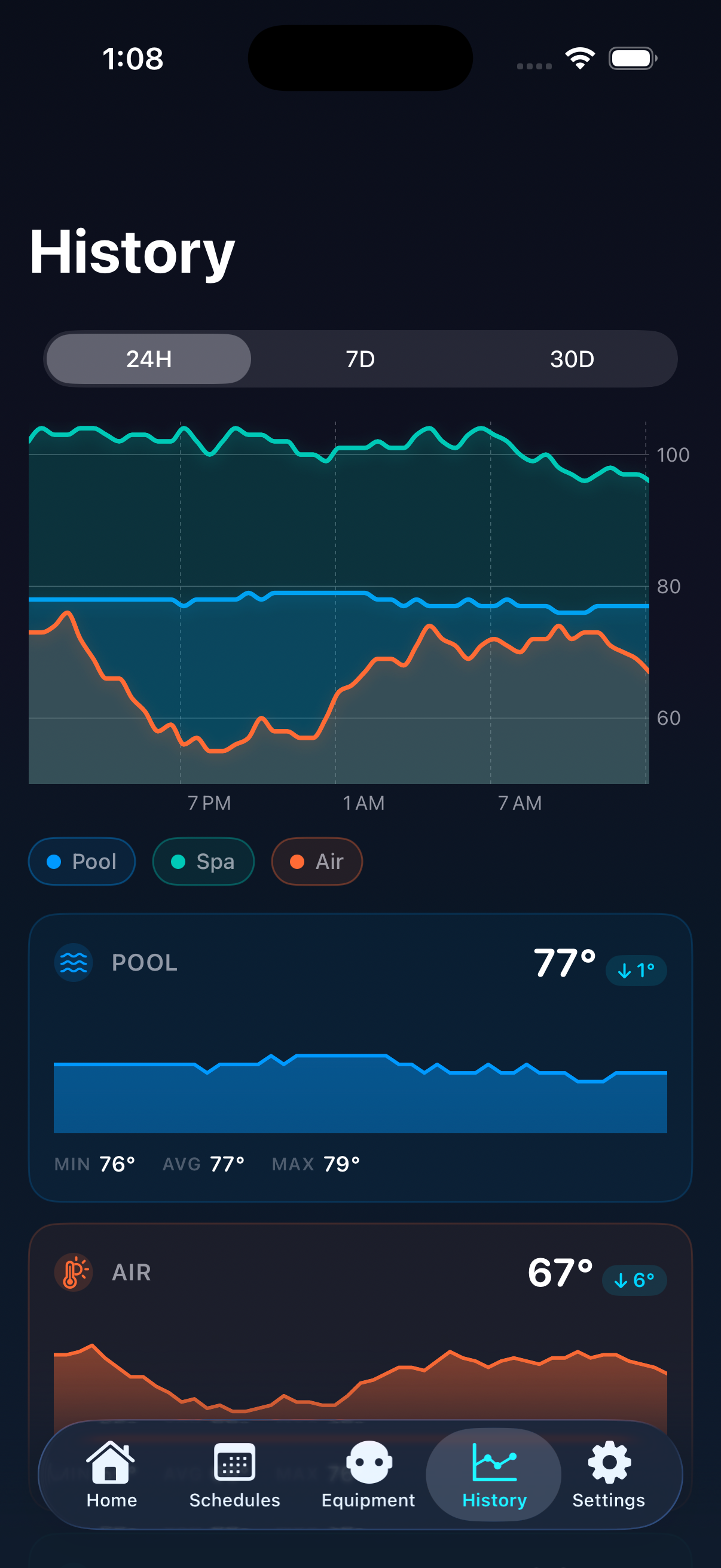
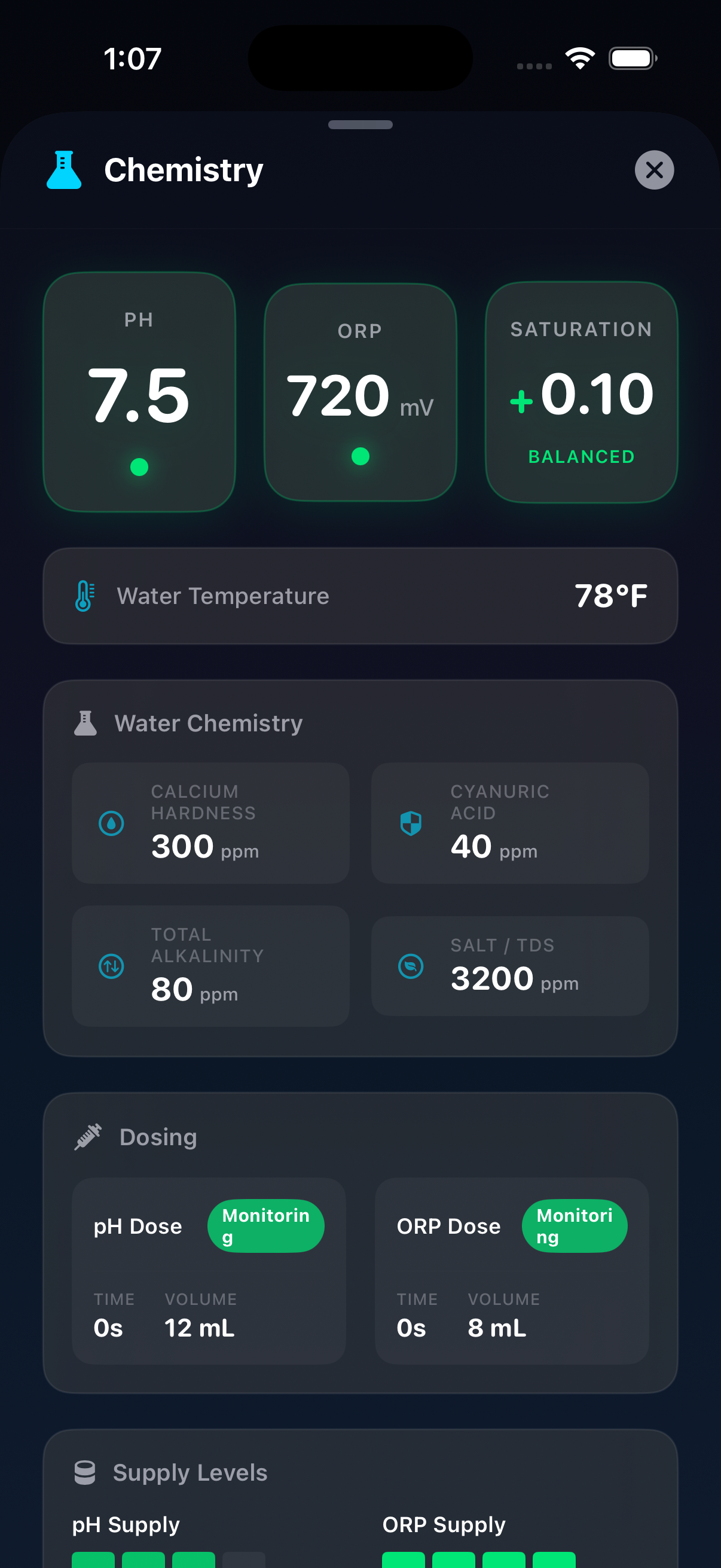
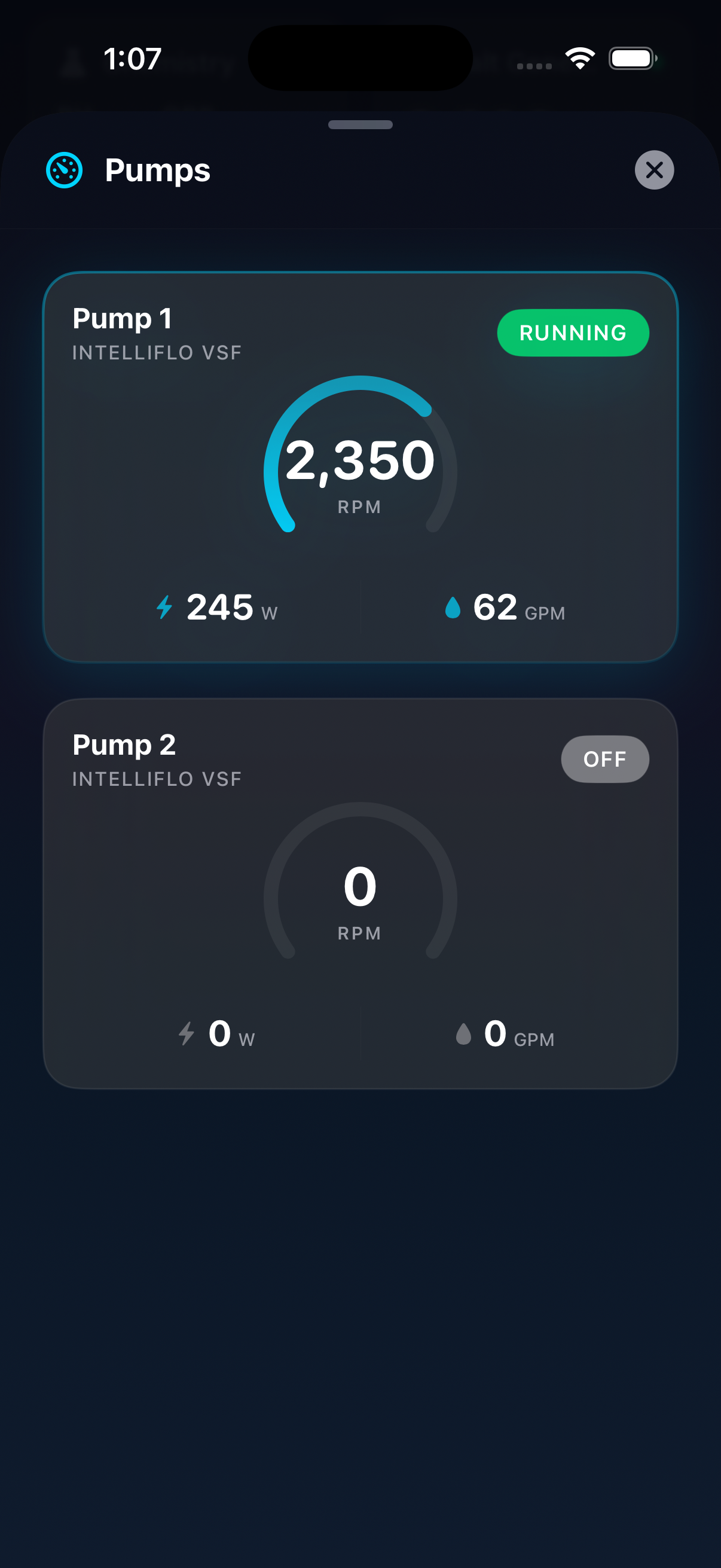
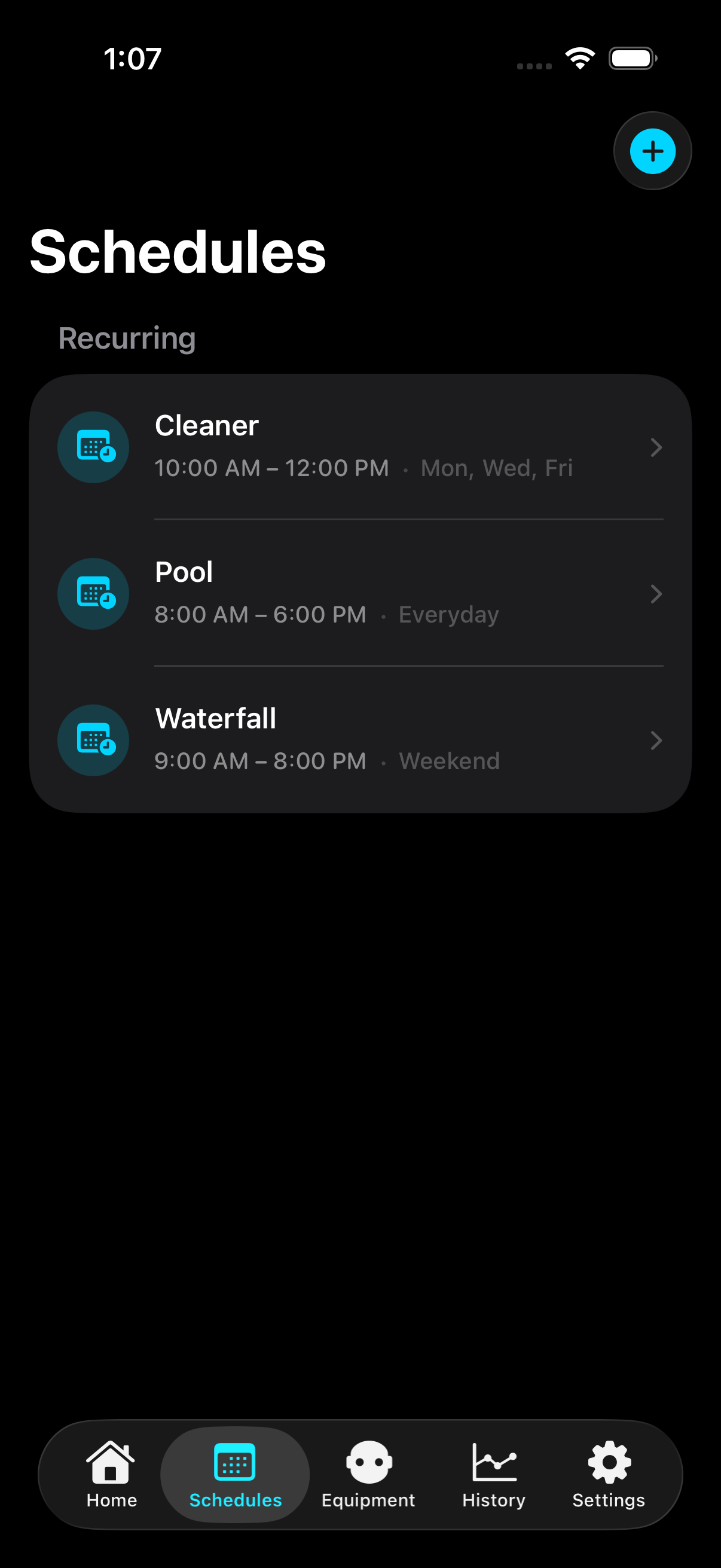
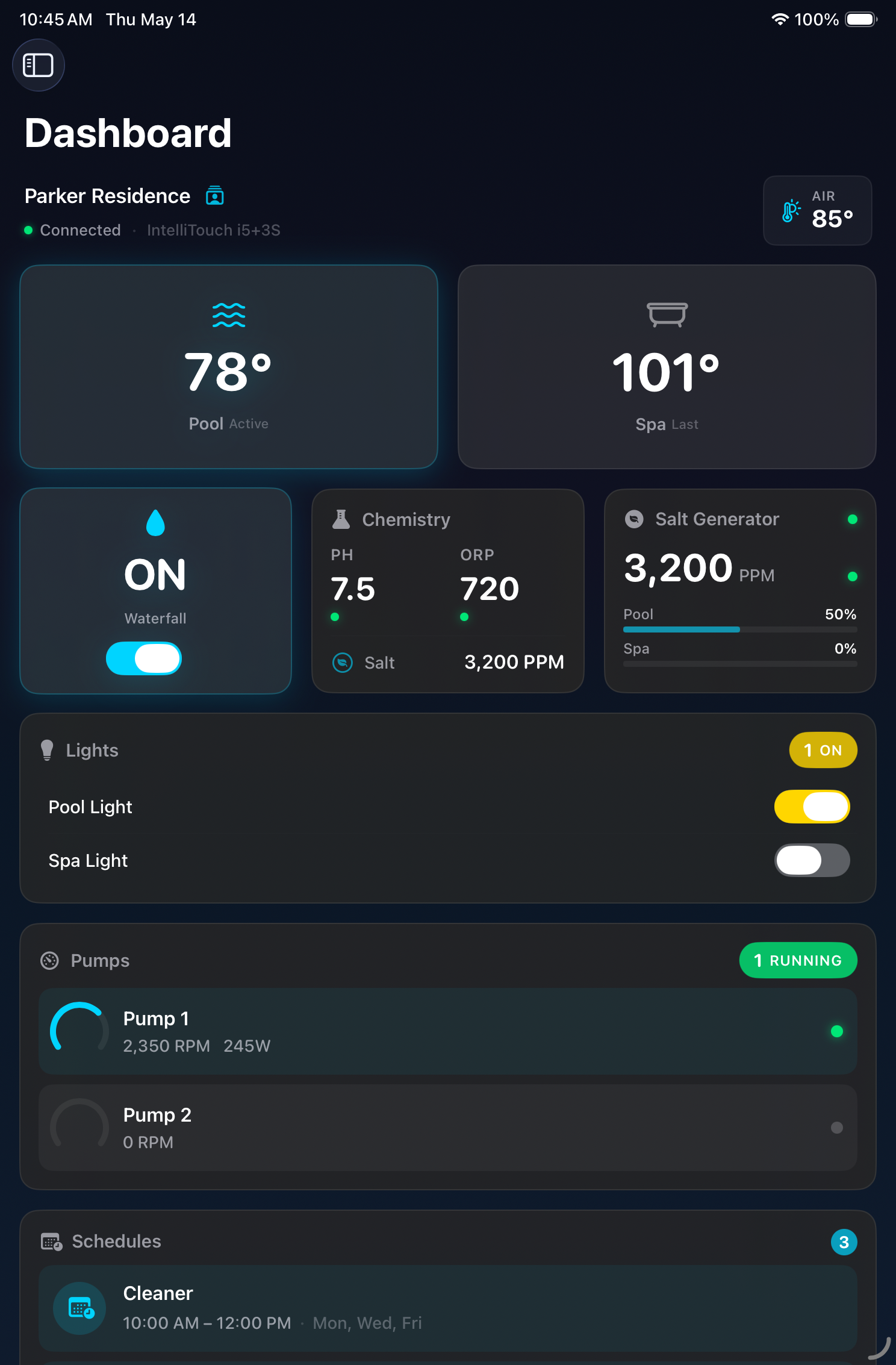
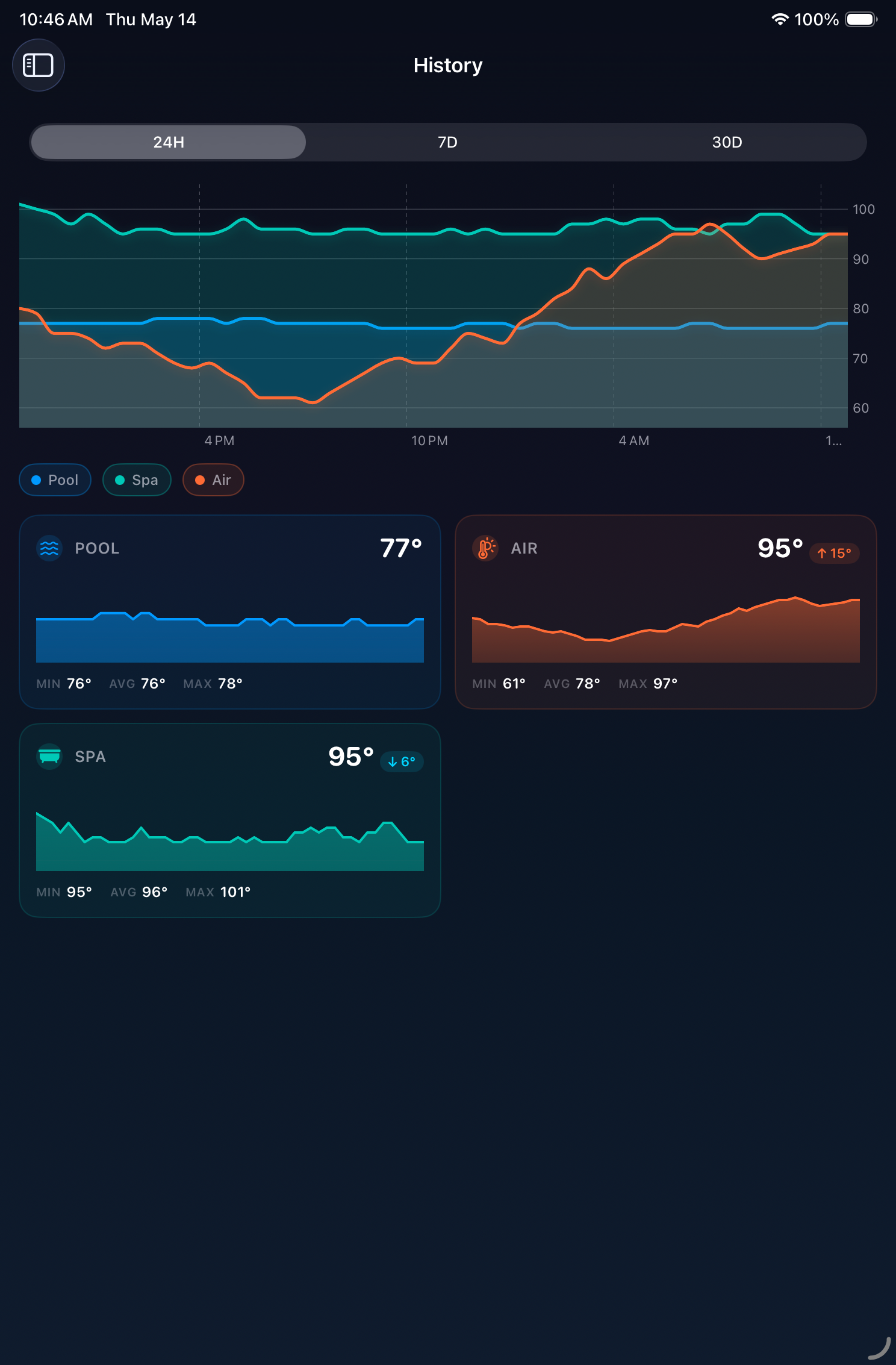
Same universal app, scaled up. Bigger dashboard, charts that breathe, sidebar navigation.
Connects to any ScreenLogic-compatible gateway over Wi-Fi or remotely.
PoolLogic is not affiliated with Pentair, Inc. — full trademark notice
Yes. PoolLogic is a native iOS app for ScreenLogic. It connects directly to your ScreenLogic gateway and gives you full control over your Pentair pool system from your iPhone or iPad. It is available on the App Store for free.
Yes. PoolLogic is a universal app — one purchase, runs natively on both iPhone and iPad with adaptive layouts designed for each form factor.
PoolLogic for iOS requires iOS 18 or later. Live Activities and Dynamic Island additionally require an iPhone with iOS 16.1+ (Dynamic Island requires iPhone 14 Pro or later).
PoolLogic works with Pentair EasyTouch, IntelliTouch, and SunTouch controllers that have a ScreenLogic gateway. It supports IntelliFlo pumps, IntelliBrite and MagicStream lights, IntelliChem, and IntelliChlor.
No. PoolLogic is completely free. There is no subscription, no account to create, and no fees of any kind. Future updates are included.
Yes. PoolLogic supports remote connections through the Pentair dispatcher service using your system name and password. Your password is stored securely in the iOS Keychain.
No. PoolLogic communicates directly with your ScreenLogic gateway. No analytics, no telemetry, no third-party SDKs.
Free · iOS 18+ · No subscription
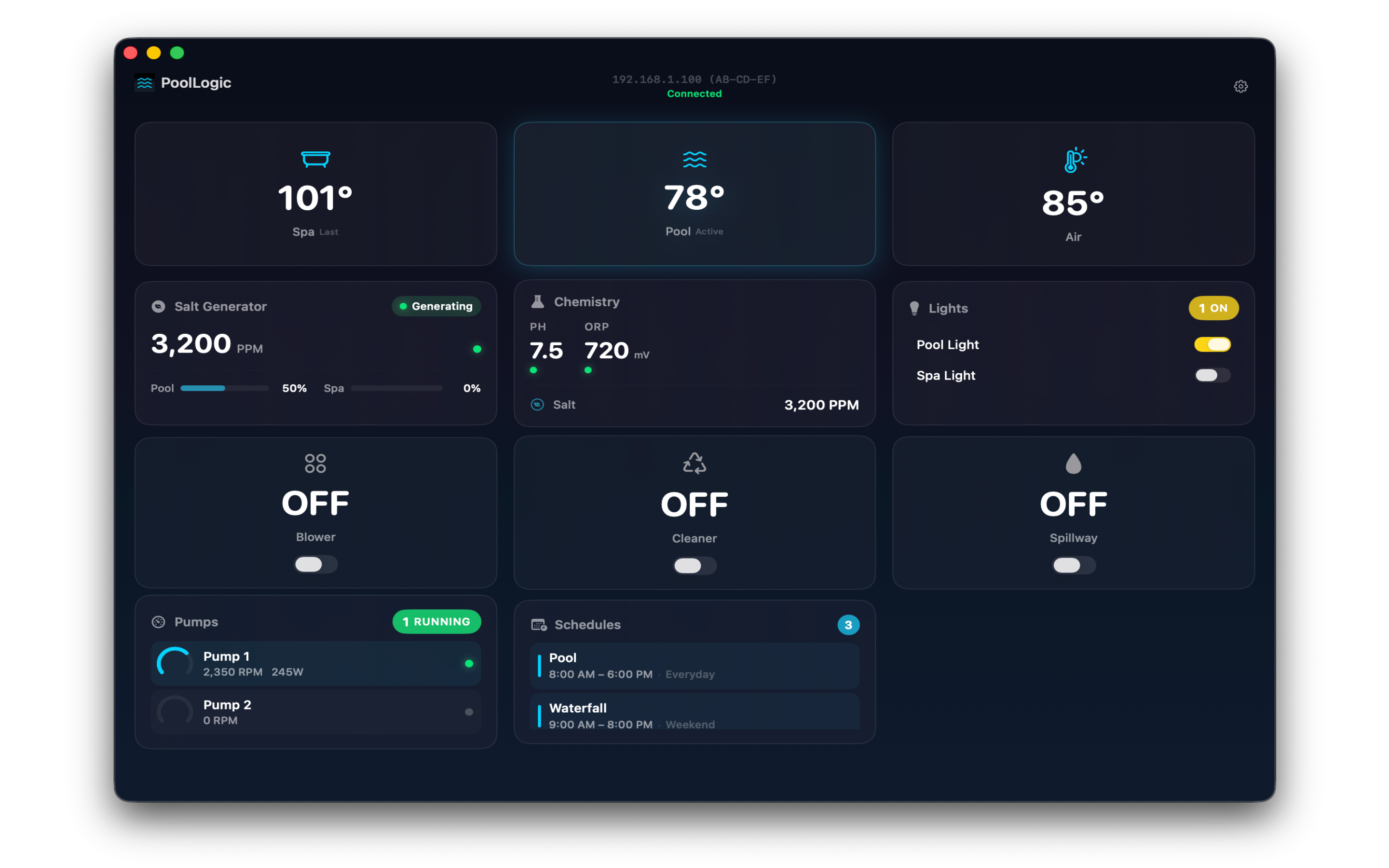
Also for Mac
PoolLogic on macOS →
Customizable widget grid, Siri Shortcuts, and AI control via MCP.