PoolLogic - ScreenLogic app for Mac

PoolLogic - ScreenLogic App for Mac

Your pool. Your Mac. Finally.

The Unofficial ScreenLogic app for Mac. Native macOS control for Pentair EasyTouch, IntelliTouch, and SunTouch pool systems.

One-time purchase · macOS 15+ · No subscription

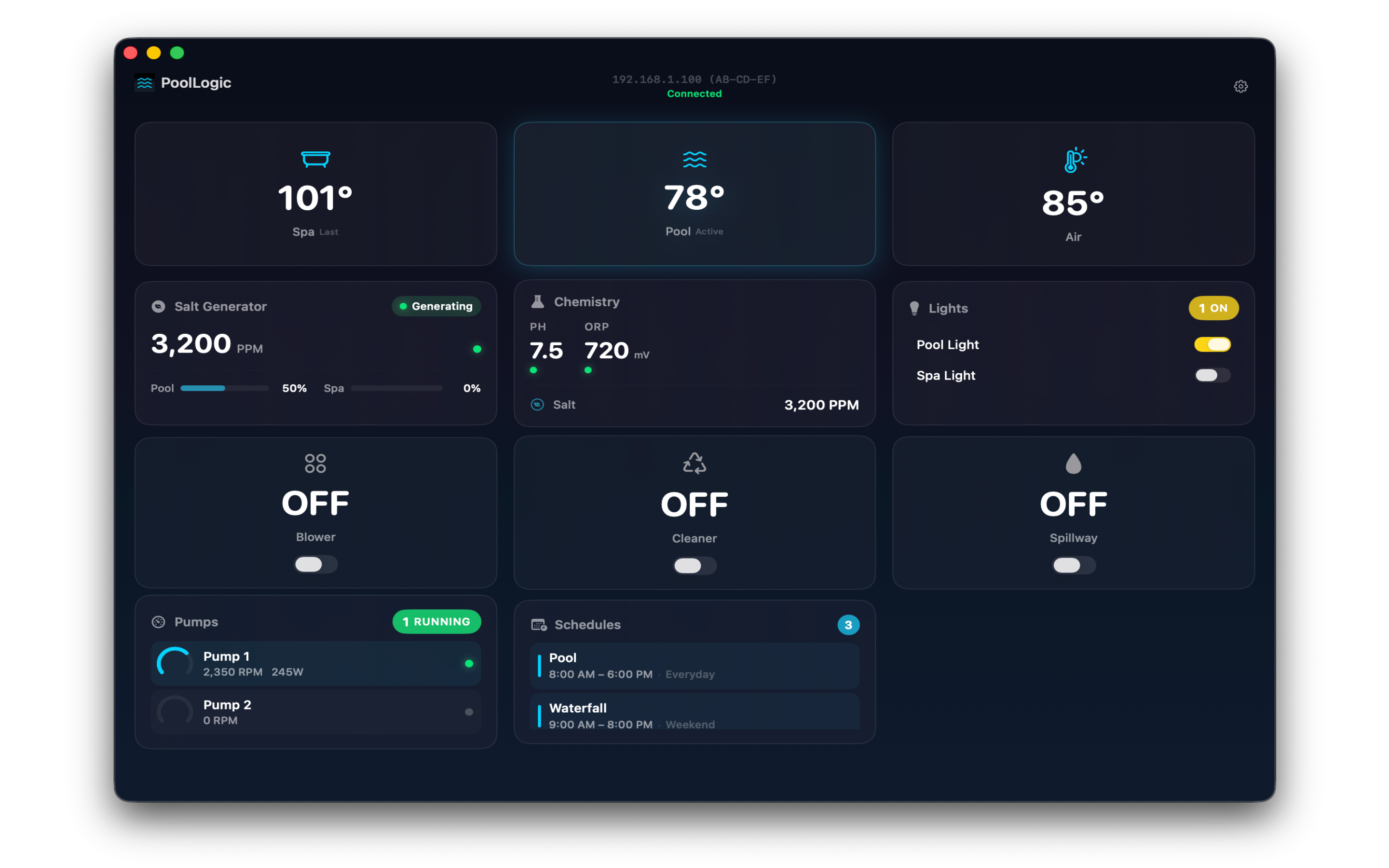
PoolLogic ScreenLogic app for Mac showing real-time pool dashboard with temperatures, chemistry, and equipment status

Full ScreenLogic control from your Mac

A native macOS pool controller app built from scratch for the desktop workflows pool owners actually use.

Real-Time Dashboard

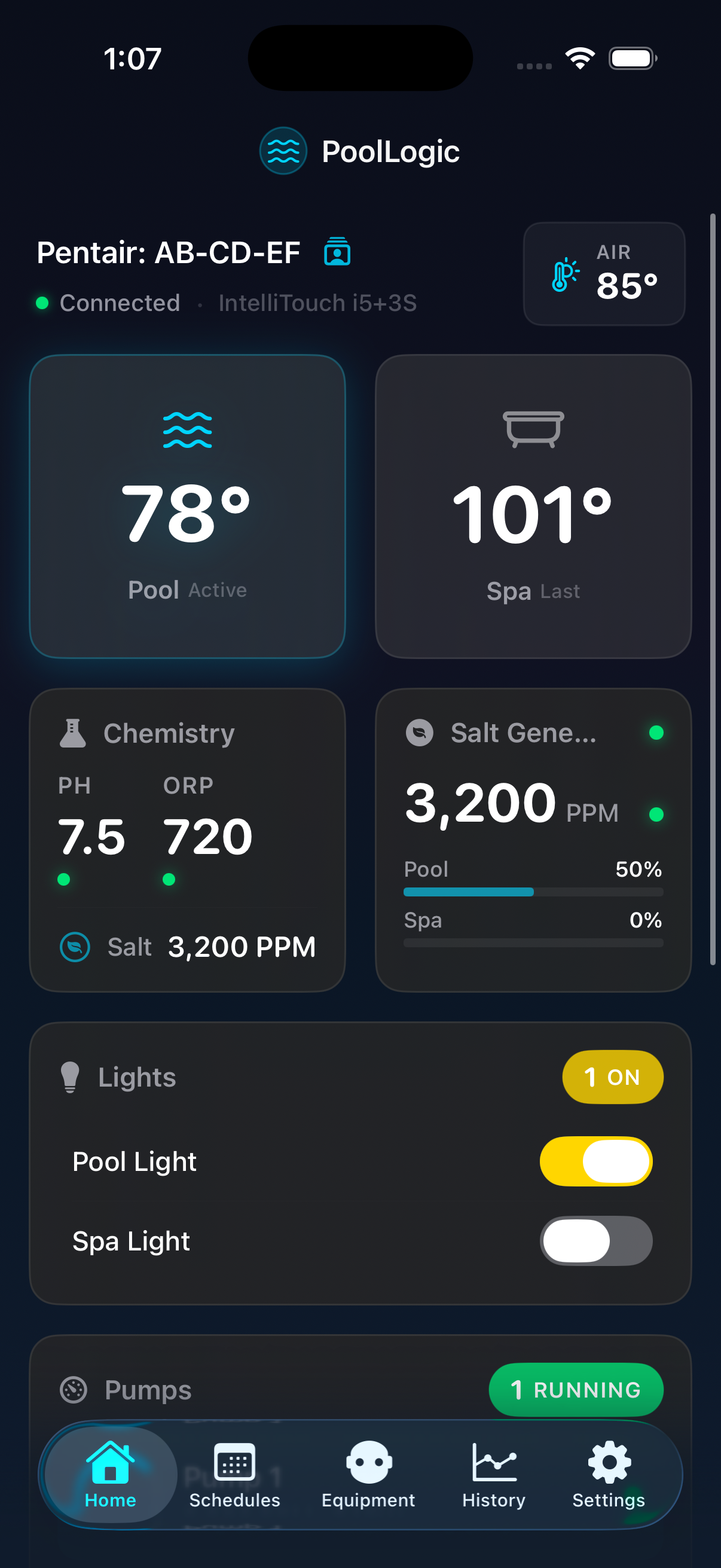
Customizable widget grid with live water temps, heating status, pump performance, chemistry, and salt levels. Drag and drop to fit your setup.

View screenshot

Equipment Control

Toggle circuits with a click. IntelliBrite and MagicStream get dedicated color pickers. IntelliFlo pumps show real-time RPM and wattage.

View screenshot

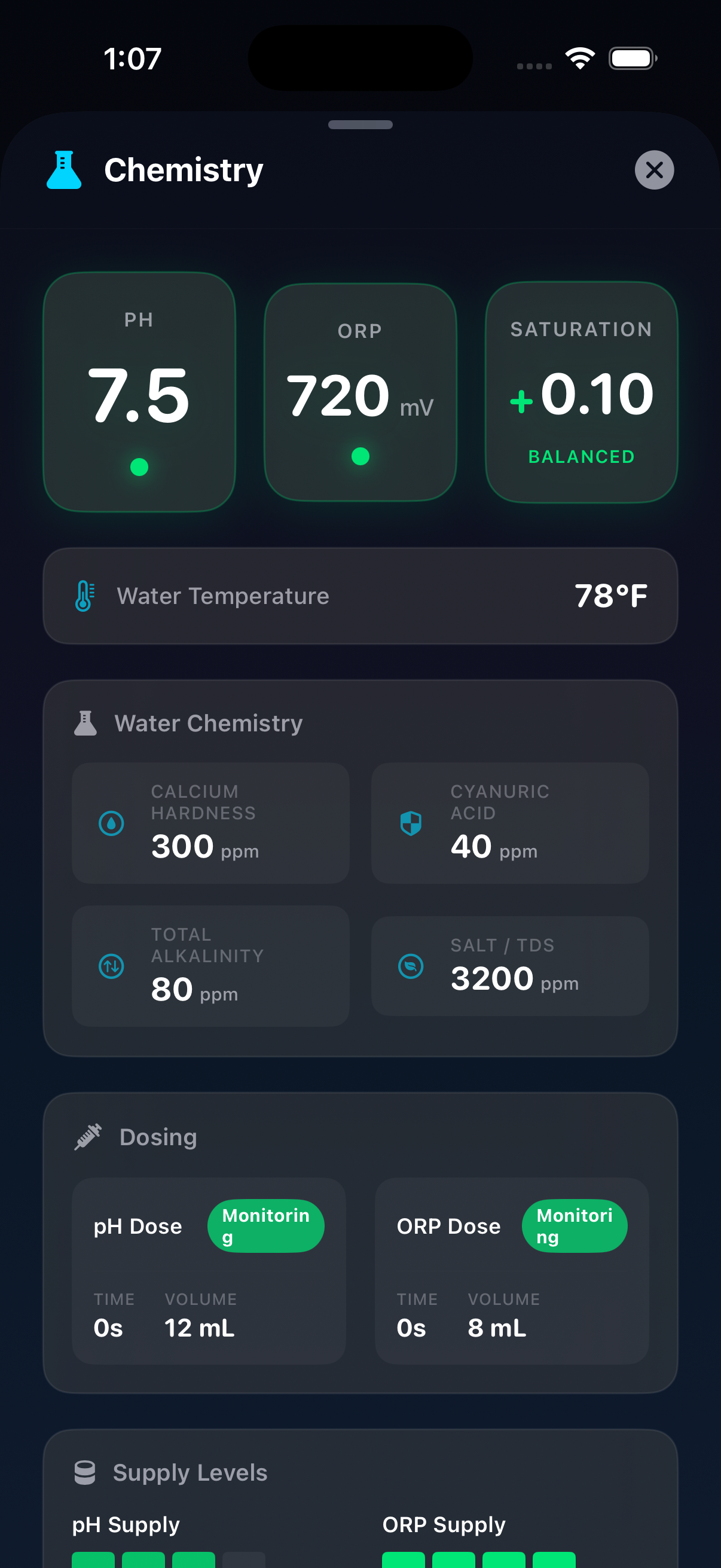
Chemistry Monitoring

IntelliChem pH, ORP, saturation index, and dosing status in one view. Color-coded alerts flag issues before they become problems.

View screenshot

Heating Control

Switch between Off, Solar, Heater, and Solar Preferred modes. Adjust setpoints for pool and spa with a live temperature gauge.

View screenshot

Salt Chlorine Generator

IntelliChlor salt PPM, active/idle status, and pool and spa output percentages. Color-coded readings flag out-of-range levels.

View screenshot

Schedules & Automation

Create, edit, and manage recurring schedules and egg timers. Assign circuits, pick days, set times, and pin favorites to the dashboard.

View screenshot

See the ScreenLogic Mac app in action

Dark, water-inspired interface designed from the ground up for macOS.

PoolLogic ScreenLogic Mac app dashboard with pool and spa temperatures
Pool and spa heater control with temperature setpoints on macOS
IntelliBrite and MagicStream light color control on Mac
IntelliChlor salt chlorine generator status and output on macOS
IntelliFlo pump RPM and wattage monitoring on Mac
IntelliChem dosing status and chemistry control on macOS
Pool chemistry overview with pH ORP and saturation index
Pool automation schedules and egg timers on Mac
ScreenLogic Mac app dashboard
Heater control on macOS
Pool light color control
Salt chlorine generator status
IntelliFlo pump monitoring
IntelliChem dosing control
Pool chemistry overview
Pool schedules and automation

Works with your Pentair ScreenLogic system

Connects to any ScreenLogic-compatible gateway over your local network or remotely.

Supported Controllers

  • EasyTouch control systems
  • IntelliTouch control systems
  • SunTouch control systems
  • Any ScreenLogic protocol-compatible gateway

Connects Your Way

  • Auto-discover gateways on your local network
  • Connect manually by IP address
  • Access remotely through the Pentair dispatcher
  • Save connections with Keychain-stored passwords

PoolLogic is not affiliated with Pentair, Inc. — full trademark notice

Frequently asked questions

Is there a ScreenLogic app for Mac?

Yes. PoolLogic is a native macOS app for ScreenLogic. It connects directly to your ScreenLogic gateway and gives you full control over your Pentair pool system from your Mac. It is available on the Mac App Store for $4.99.

Which Pentair controllers does PoolLogic work with?

PoolLogic works with Pentair EasyTouch, IntelliTouch, and SunTouch controllers that have a ScreenLogic gateway. It also supports IntelliFlo pumps, IntelliBrite and MagicStream lights, IntelliChem, and IntelliChlor.

Does PoolLogic require a subscription?

No. PoolLogic is a one-time $4.99 purchase. There is no subscription, no account to create, and no recurring fees. Future updates are included.

Can I control my pool remotely with PoolLogic?

Yes. PoolLogic supports remote connections through the Pentair dispatcher service using your system name and password, the same way the ScreenLogic iOS app does. Your password is stored securely in the macOS Keychain.

Does PoolLogic send my data anywhere?

No. PoolLogic communicates directly with your ScreenLogic gateway on your local network. No pool data is sent to third-party servers. The app does not collect analytics or telemetry.

What version of macOS do I need?

PoolLogic requires macOS 15 (Sequoia) or later.

Download on the Mac App Store

One-time purchase · macOS 15+ · No subscription

Get in touch

Feedback, bug reports, feature requests — we'd love to hear from you.

0/1000

Protected by reCAPTCHA. Privacy · Terms